
Table of Contents
Don't have the time to read the entire post? Our human writers will be sad, but we understand. Summarize the post with your preferred LLM here instead.
Passwordless authentication lets users sign in without a password, using “something they have” or “something they are” instead. It prevents attacks that depend on stealing or guessing passwords–including phishing, credential stuffing, and password spraying–while making login faster for the user.
More passwords have led to more problems for everyone on the Internet. While they are useful for securing information in theory, passwords often create hurdles for users, developers, and admins alike. Using passwords leads to forgotten credentials, frustrating user experience, and (paradoxically), a plethora of security threats.
Enter the era of passwordless authentication, a new approach that precludes the need for passwords and embraces secure, low-friction user journeys.
Let’s dive in and see why passwordless authentication is reshaping the experience of users and developers alike. We’ll discuss why it’s needed, cover common passwordless authentication methods in use today, and share how app builders can get started on their passwordless journey.
At a glance
Passwordless authentication lets users sign in without a password, using a possession or inherence factor such as a passkey, magic link, one-time passcode, or authenticator app code.
Passwordless auth methods remove the password entirely, which reduces the likelihood of common attacks such as phishing, credential stuffing, and password spraying.
The main benefits are stronger security, a faster and simpler login, lower support costs from fewer password resets, and higher conversion at signup.
Passwordless is often paired with adaptive checks so that higher-risk logins prompt an extra step, a process that’s sometimes called passwordless MFA.
When choosing a passwordless authentication solution, teams weigh the supported methods, developer experience, compliance needs, and whether flows can be changed without an application rebuild or custom code.
Quick facts
What passwordless authentication is | Authentication methods that eliminate passwords and enable signing in with a possession (something you have) or inherence (something you are) factor, such as a passkey or magic link |
How it works | Verifies a possession factor (a device, key, or code) or an inherence factor (a biometric), rather than a shared secret |
Main methods | Magic links, one-time passcodes, authenticator apps, biometric authentication, and passkeys |
Key benefit | Greatly reduces the effectiveness of phishing, credential stuffing, and password spraying by removing the password from the equation |
Who uses it | Consumer apps, developer platforms, and regulated industries like healthcare and fintech that need phishing-resistant login |
What is passwordless authentication?
Passwordless authentication is the collective name given to various user identity validation methods that do not use passwords. Instead of relying on traditional password-based authentication, it utilizes alternative forms of validation such as biometrics, magic links, authenticator apps, passkeys, or similar methods that we’ll explain shortly.
If implemented thoughtfully, this approach not only simplifies the login process but also helps applications get to market faster, adopt and delight more users, and reduce their risk surface against credential-based attacks.
By removing passwords, which are often weak, reused across services, or susceptible to phishing attacks, passwordless authentication reduces the risk of account breaches and identity theft. It represents a paradigm shift in how online accounts are secured without negatively impacting the user experience.
What is passwordless MFA?
Passwordless and multi-factor authentication (MFA) are sometimes mentioned in similar contexts. Therefore, it’s worth defining the terms separately and understanding where they differ. While passwordless auth replaces password-based authentication with other factors, MFA refers to using two or more authentication factors to validate user identities.
While common MFA implementation involves augmenting passwords with a second (passwordless) authentication factor, MFA can also be completely passwordless. Passwordless MFA combines a passwordless factor with an additional check, so a login is both password-free and multi-factor at the same time. For example, an app can use a fingerprint scan as the first authentication factor and an email magic link as the second authentication factor.
How does passwordless authentication work?
Before getting into the details, it’s worth noting the three generally accepted authentication factors:
Knowledge: Something only the user “knows” (e.g. passwords, security questions).
Possession: Something only the user “has”.
Inherence: Something only the user “is”.
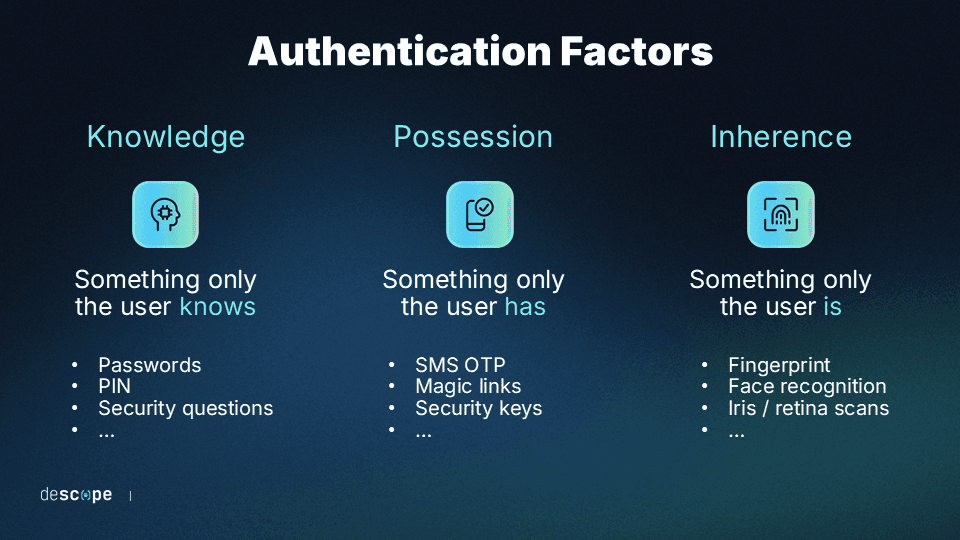
Passwordless authentication works by confirming the identity of a user through alternative means to passwords, focusing on something the user has and something the user is, rather than something the user knows. Here’s an overview of the underlying principles and mechanisms:
Something the user has: This could be a mobile device, a security token, or a security key. Authentication is achieved through a unique code or signal generated by the device. For example, a user might receive an email with a one-time passcode which they could use to log in.
Something the user is: Biometric authentication checks unique physical characteristics of the user, such as fingerprints, facial recognition, or retinal scans. For instance, many smartphones now allow users to unlock their devices and access applications securely using their fingerprint or face scans.
Drag & drop passwordless authentication with Descope
Going passwordless improves user experience and security for any app. However, setting up these authentication systems can be time-consuming. Descope abstracts away the complexity of authentication with a no-code workflow builder, ensuring that developers can spend more time building their core product.
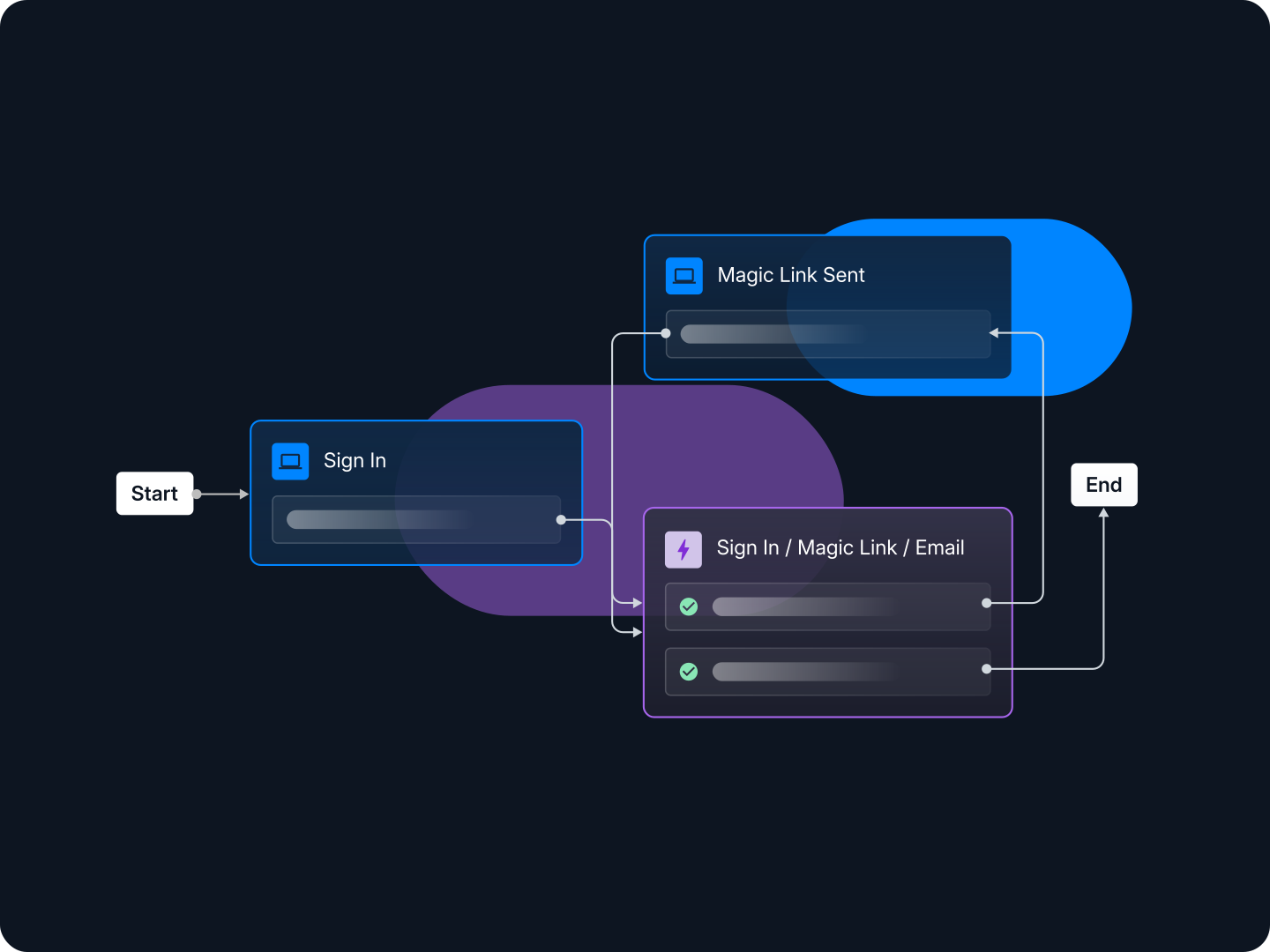
Sign up for Descope's passwordless authentication solution to start your app's passwordless journey.
Password-imposed problems
It’s a “shared secret” that passwords can be a hassle. Whether you’re trying to remember the right combination of letters and characters, coding them into an app, or working to keep them safe, passwords add a layer of complication to our online lives.
Passwordless authentication methods are the modern answer to this old problem, paving the way toward a smoother and safer digital experience. Here are some reasons why passwords have fallen out of favor and how passwordless authentication addresses these shortcomings.
User friction
There’s no password fan club. The typical Internet user dislikes passwords and the friction they cause from login to checkout. Whether having to create and remember hundreds of unique passwords, going through laborious password reset flows, or constantly updating passwords for security reasons (that aren’t really secure), passwords offer no redeeming value to the average person online. The average person now manages 301 passwords, which is an enormous amount to keep straight without resorting to reuse or weak variations.
Let’s consider two equivalent applications vying for the same user: One app asks users to create a strong and unique password, while the other authenticates them with a fingerprint on their phone.
Which app is the user more likely to have a good first experience with? More importantly, which app is the user more likely to return to?
The statistics don’t lie. According to the FIDO Alliance’s State of Passkeys 2026 report, 47% of consumers say they’re likely to abandon a purchase or sign-in when they can’t remember a password, and 17% say they’re highly likely to do so.
Security headaches
Passwords are the “keys to the kingdom” most attackers seek and easily find. According to the 2026 Verizon Data Breach Investigations Report, credential abuse still appears at some point in 39% of breaches (more than any other technique the report tracks), and credentials showed up as compromised data in 28% of breaches overall. Why does this keep happening?
Firstly, it’s because there’s no shortage of leaked passwords at the attackers’ fingertips. A June 2026 discovery of an exposed database found 24 billion username and password combinations compiled from dozens of prior breaches, sitting in the open for anyone to find.
Secondly, users often adopt bad behaviors when dealing with passwords. Since no one can realistically keep track of hundreds of unique passwords, users resort to “boilerplate” weak passwords or reuse the same password across multiple online applications. The 2026 DBIR found that users are more than four times as likely to be running a password that’s already been exposed in a prior breach than one that’s simply weak. A data breach on one application gives attackers the ammunition to try that same password elsewhere through credential stuffing.
Thirdly, and most importantly, passwords are not a reliable indicator of a user’s identity. Initially designed for individuals to memorize, passwords become a vulnerability the moment they are compromised, allowing anyone who acquires them to masquerade as a legitimate user.
High cost
Implementing passwords compels product owners and app developers to spend time and effort on non-core initiatives, like:
Managing password infrastructure and storage
Creating and updating password reset flows
Adding security controls that protect against password-based attacks
Allotting the help desk’s time to deal with password reset and locked account requests
The list of “password-related labor” is long. Considering these user frustrations and security issues, it’s clear this is not work that’s greeted with enthusiasm. Time and resources devoted to maintaining password systems come with significant trade-offs, diverting attention from potentially more valuable initiatives.
Benefits of passwordless authentication
Passwordless authentication systems help apps get to market faster, shut down most credential-based attacks at their source, and delight end users. Here are some advantages of going passwordless:
Reduce fraud and account takeover: Eliminating passwords prevents attackers from breaking authentication through credential stuffing, brute force attacks, and phishing.
Onboard and engage more users: Apps that do not require creating and remembering passwords will likely onboard users faster, keep them coming back, and generate a positive brand perception.
Focus resources on core initiatives: Going passwordless eliminates password management and storage, password reset flows, and security investments to protect app servers against password-based attacks.
Cut support costs tied to password resets: Fewer forgotten passwords means fewer help desk tickets and account lockout requests, freeing up support teams for higher-value work.
Passwordless authentication methods
Passwordless methods verify users through a combination of possession and inherence factors. These factors are typically harder to spoof and more reliable indicators of a user’s identity than knowledge factors.
Before we explain the different methods, it’s worth noting that while often considered passwordless, social logins and single sign-on technically are not that. Instead, they delegate authentication to identity providers where users have already created passwords.
Method | How it works | Security | Best for |
|---|---|---|---|
Magic links | An emailed or texted URL with an embedded token logs the user in when clicked | Good; depends on the security of the user’s inbox or phone | Low-friction consumer signup and login |
One-time passcodes (OTP) | A dynamically generated code, delivered via SMS, email, or an app, grants one-time access | Moderate; SMS delivery is vulnerable to SIM swapping | Apps needing a familiar, universal fallback method |
Authenticator apps | A TOTP code is generated on-device from a shared secret and the current time | Strong; resistant to interception, doesn’t rely on network delivery | Users already comfortable with a dedicated authenticator app |
Biometric authentication | A fingerprint, face, or retinal scan verifies identity locally on the device | Strong; the biometric data never leaves the device | Mobile-first apps with modern device support |
Passkeys | A device-bound cryptographic key pair replaces the password entirely, confirmed with a biometric or PIN | Strongest; phishing-resistant and unique to each site | Any app looking for the most secure, most modern default |
Magic links
Magic links are URLs with embedded tokens that, when clicked, enable users to log in without a password. These links are usually delivered to the user’s email account but can also be sent via SMS and other messaging services like WhatsApp.
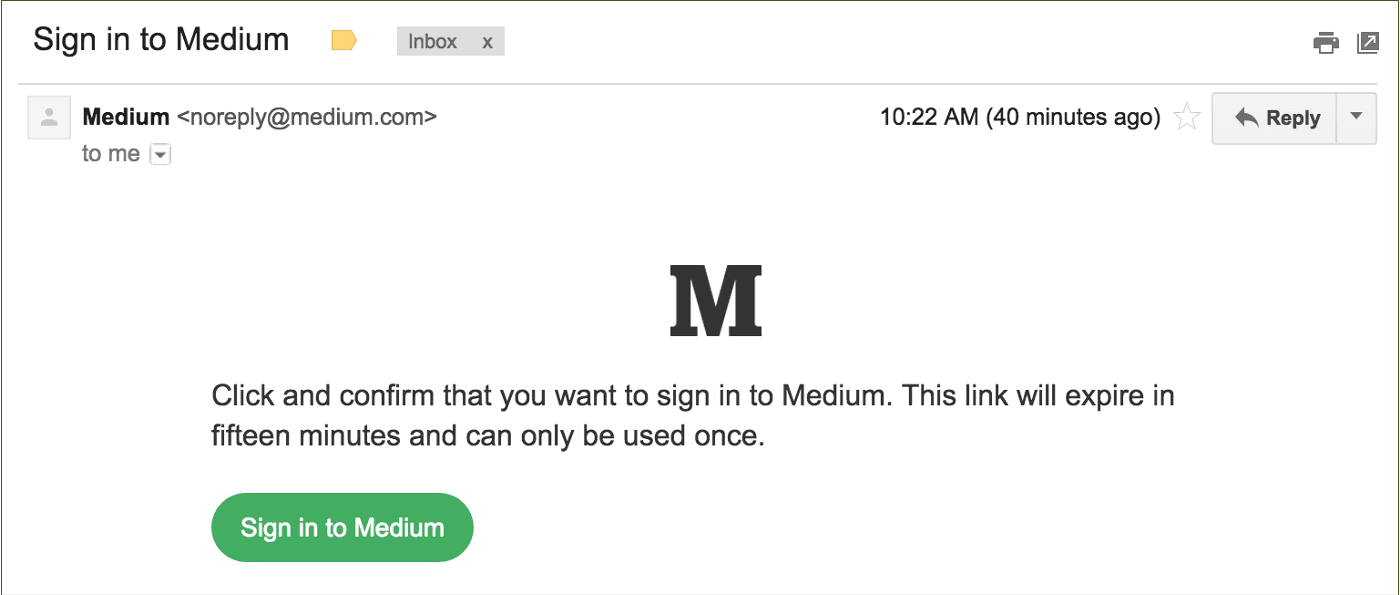
Magic links indicate a user’s identity by verifying “something the user has.” This can be the user’s email address (for magic links delivered as an email) or their phone (for magic links delivered via SMS or other phone-based messaging apps).
Did you know? In addition to authentication, you can use magic links in many other scenarios to activate users and grow adoption. For example, if users have items in their shopping carts but do not complete the purchase, a passwordless auth solution like Descope can send embedded links that take users directly to those carts.
One-time passwords or passcodes (OTP)
One-time passwords or passcodes are dynamically generated numbers or letters that grant users one-time access to an application. Unlike passwords, an OTP is not static and changes every time the user attempts to log in.
OTPs can be delivered via SMS, email, messaging apps, and dedicated authenticator apps. Users like one-time passwords because they don’t need to remember them, they usually don’t require new hardware, and they’re already familiar with standard OTP delivery methods.
, showing the Acorns logo at the top and a centered message with the heading Your login code, text stating Thank you for verifying your identity. Your unique login code is followed by a five digit code 19531, and a note below indicating that account security is a priority and recommending changing the password if this was not initiated by the recipient, displayed within a standard email client interface.](/_next/image?url=https%3A%2F%2Fimages.ctfassets.net%2Fxqb1f63q68s1%2F2xUsJ7RqeZAuwyJt3s0O2P%2F8deb2e6c06a927ba44a50b2f7ce8c32b%2FEmail_OTP_example.png&w=3840&q=75)
That said, OTPs can be phished. SMS authentication, in particular, can be vulnerable to SIM swapping and man-in-the-middle attacks. In 2016, NIST proposed that SMS be deprecated as an out-of-band second authentication factor, and organizations like the Central Bank of UAE have followed suit. This guidance still shapes how security-conscious teams treat SMS OTP today: as a fallback rather than a primary method.
Authenticator apps
Authenticator apps operate based on time-based one-time passwords (TOTP). A TOTP code is generated with an algorithm that uses a shared secret and the current time as inputs. This means the code changes at set intervals, usually between 30 to 90 seconds.
Hardware tokens like physical fobs or security keys can also generate TOTP codes. However, authenticator apps (software tokens) are the more widely adopted implementation since they don’t require users to carry hardware other than their mobile phone.
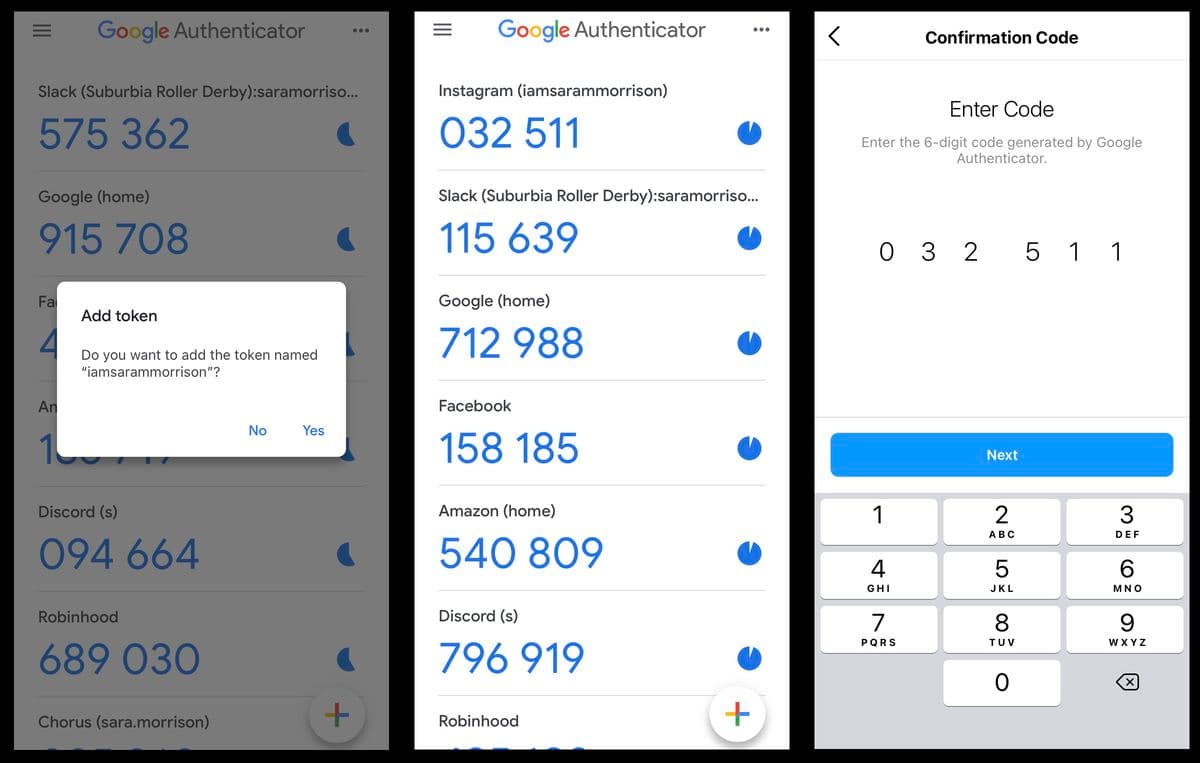
Authenticator apps are considered to be more secure and user-friendly than SMS authentication. It’s very tough for attackers to intercept TOTP codes and gain fraudulent account access.
Additionally, authenticator apps don’t depend on internet connectivity, mobile carriers, or delivery rates, making them usable in a broader range of scenarios than SMS OTP.
Biometric authentication
Biometrics are physical or behavioral traits unique to an individual. Biometric authentication checks these traits to grant users application access. Popular biometric authentication methods in use today include fingerprint scanning and facial recognition.
Biometric authentication adoption has soared due to Apple, Google, Microsoft, and Samsung launching devices with built-in fingerprint scanning and facial recognition capabilities. Cross-device support with methods like passkeys have further accelerated this trend.
Since biometric authentication is based on “who users are,” these traits are much more challenging to steal and repurpose than passwords, PIN codes, and other forms of knowledge-based authentication.
Did you know? Biometric authentication implemented with the FIDO standard and WebAuthn ensures that the biometric characteristics are securely stored and verified locally on the user’s device. This addresses privacy concerns associated with reading users’ biometric data. Since the data never leaves the device, there is nothing for attackers to compromise.
Read More: 6 Top Benefits of Biometric Authentication
Passkeys
Passkeys are a device-bound cryptographic key pair that replace passwords outright. A user registers a passkey once–typically confirmed with a fingerprint, face scan, or device PIN–and that same key is checked at every future login without ever being transmitted or stored on a server.
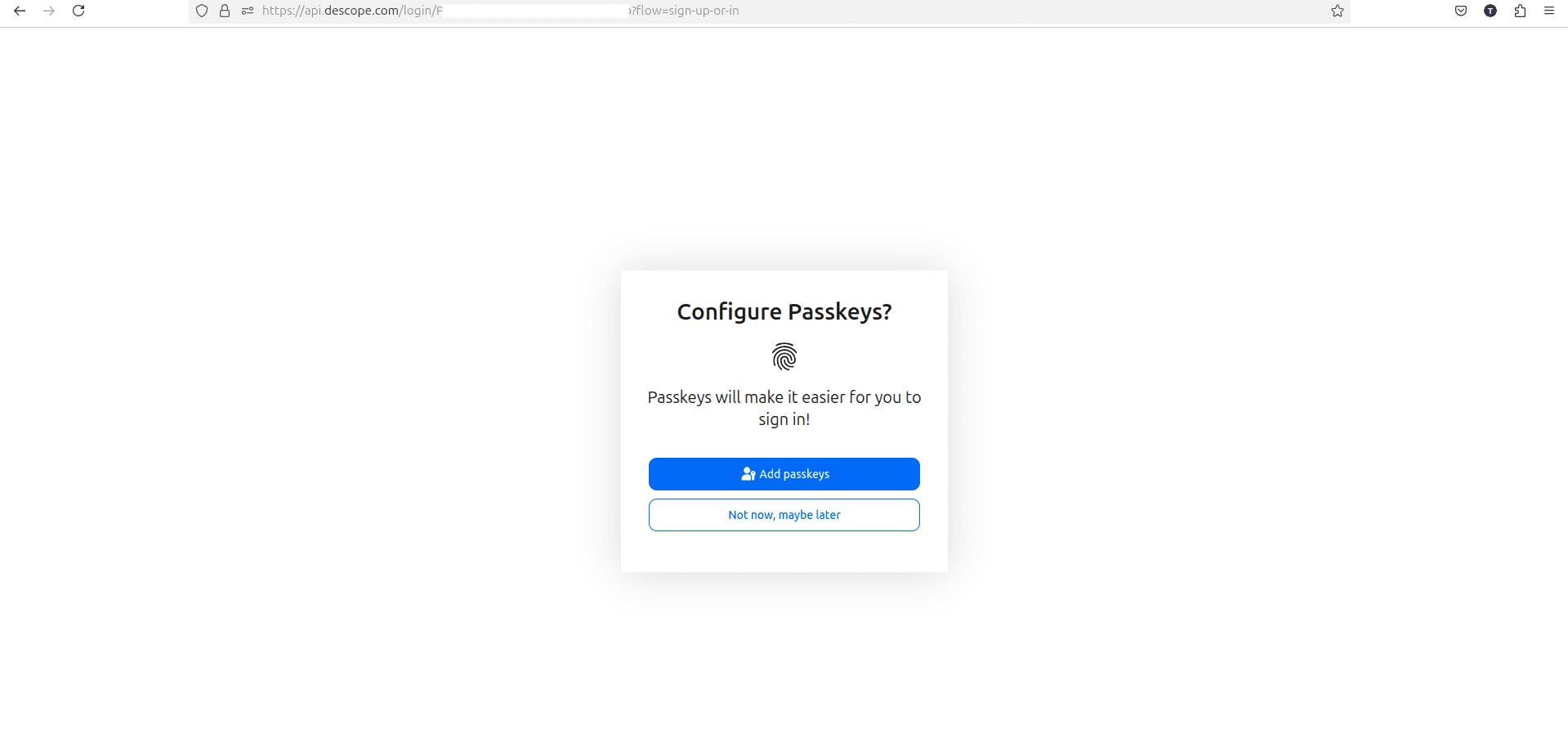
Passkeys have quickly become the passwordless method with the most momentum. The FIDO Alliance’s State of Passkeys 2026 report estimates 5 billion passkeys are now in use worldwide, with 90% of consumers aware of them and 75% having enabled one on at least one account.
Because a passkey is unique to each site and cannot be reused, guessed, or phished, it addresses the weaknesses of magic links, OTPs, and even authenticator apps at the root. Built on the FIDO2 and WebAuthn standards, passkeys also sync across a user’s devices through their chosen platform (such as Apple’s iCloud Keychain or Google Password Manager), so signing in on a new device doesn’t require starting over.
How to choose a passwordless authentication solution
Not every passwordless solution is built the same way, and the right fit depends on your users, your team, and your industry. A few factors matter most when evaluating options:
Supported methods: Look for a solution that covers magic links, OTPs, authenticator apps, biometrics, and passkeys, so you can match the method to the use case instead of committing to just one.
Developer experience: Time to integrate matters as much as the feature list. Strong SDKs, prebuilt UI components, and the ability to change a login flow without a full redeploy save real engineering time. Descope’s no-code and low-code workflows and React and Next.js SDKs are built for this.
Flexibility to change without a rebuild: Requirements shift as your user base grows. A platform that lets you adjust or add authentication methods through configuration, rather than new code, keeps pace with that change.
Compliance and data handling: Regulated industries, such as healthcare and finance, need an auditable trail and data handling practices that meet the relevant compliance requirements.
Support for both customers and AI agents: As more traffic to modern apps comes from AI agents rather than only humans, a forward-looking solution should be able to authenticate both.
If your priority is | Look for | Why |
|---|---|---|
Developer experience | Strong SDKs, prebuilt UI, and flows that update without a redeploy | Cuts the engineering time needed to add and maintain passwordless login |
Healthcare or another regulated industry | Passkey support, adaptive checks, and an auditable, compliant data trail | Meets compliance requirements while keeping login phishing-resistant |
Fastest path to production | A no-code or low-code workflow builder | Avoids building authentication logic from scratch |
Long-term flexibility | A platform that supports multiple methods side by side | Lets you add or swap methods as your user base and threat model evolve |
Tips to implement passwordless authentication
Adopting a passwordless approach can seem like a daunting project to take on at first glance. Here are some tips to help app builders prioritize and phase out passwordless initiatives.
Choose the right method(s) for your users
Not all passwordless experiences are created equal. Above all, the success of a particular authentication method depends on user fit. Consider the following questions before choosing a preferred authentication method:
Are users likely to be aware of the method? Have they used similar techniques on other apps?
Are users accessing the app mainly through desktop or mobile?
How discerning are users about parting with their personal information (even if it’s just their email ID or phone number)?
How security-conscious is the average user? Is security a deciding factor in choosing between two otherwise equivalent apps?
For example, consider a fintech app that users mainly access on their mobile phones. Since the app directly impacts users’ wallets, security is essential.
Considering all these points, this app might consider using WebAuthn-based fingerprint scans or passkeys to authenticate users. This option is convenient for users (since they are on their mobile devices anyway) and is one of the most secure authentication methods available.
Biometric authentication using WebAuthn uses both a possession factor (the user’s phone) and an inherence factor (the user’s fingerprint), but without the perceived inconvenience that sometimes comes with other MFA implementations.
Also Read: Should You Use Email Or Phone For Customer Authentication?
Pilot, then scale
For apps with plenty of users, it’s prudent to ask some users to test a passwordless technology pilot before rolling it out to the rest of the user base. Lessons learned from the pilot can be applied to the broader rollout.
Moreover, if the pilot’s results are encouraging, product owners can share positive user stories to speed up adoption from subsequent user sets.
Invest in user education and messaging
While going passwordless improves user experience, implementing it without proper user education and messaging can have the opposite effect. This is especially true for apps that already have password-based authentication that users are familiar with.
Ensure that users receive communication about the upcoming change to their login flow, why the new way is better, and where they can reach out for any clarification.
Go passwordless with Descope
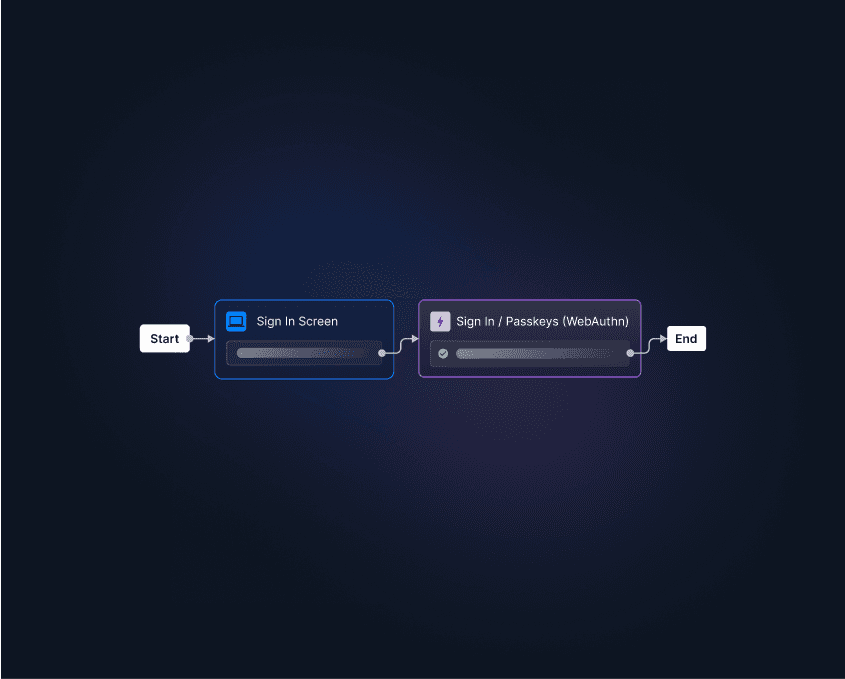
Descope lets teams add passwordless login, including magic links, OTPs, passkeys, and biometrics, through visual workflows rather than building it from scratch. You can mix and match methods to create phishing-resistant flows, gradually migrate existing users, and adjust or add methods as your app grows, all without a rebuild.
Sign up for a Free Forever account to start your passwordless journey today, or book time with our auth experts if you have questions first.
Sign up for a Free Forever account to start your passwordless journey today. Have questions about our product or an active company project? Book time with our auth experts.